A Lottie Work
A Lottie Work
Jan 15, 2026
Introduction
Modern web design goes beyond static images; it involves storytelling. In this project, I created an intricate scroll-based animation system that allows users to actively participate in the narrative. I designed a workflow that starts with imagery generated in Gemini, then moves to vectorization in Inkscape, and finally to SVGator/Lottie for animation. This process connects artistic ideas with technical implementation. The outcome is a smooth, user-controlled experience through four different environments—Tucson, Denver, Oklahoma, and Pittsburgh—each offering unique challenges related to perspective and motion smoothness.
The Workflow
AI-Assisted Drafting:
I utilized Gemini to generate base imagery, specifically targeting consistent camera angles and "cartoon" styling that traditional image search could not provide. This was crucial for establishing the correct perspective before drawing began.

Vector Construction:
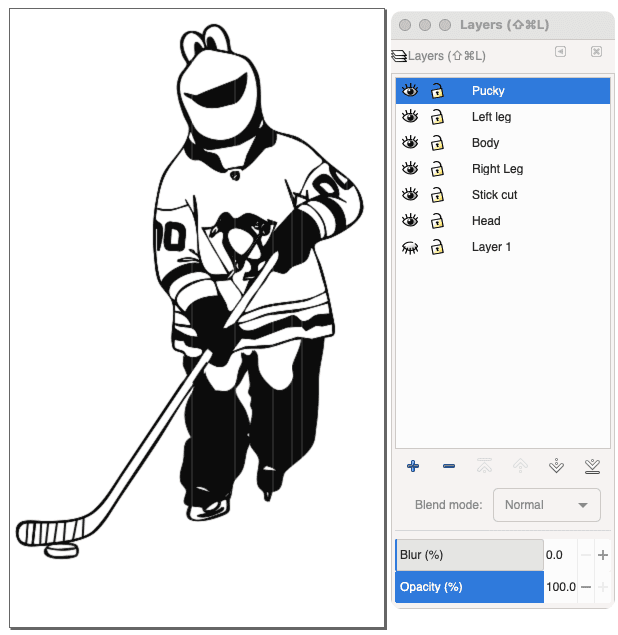
Assets were vectorized in Inkscape. I separated elements into granular layers (chunking) to prepare them for rigging—ensuring that moving parts (like limbs or wheels) were isolated from the main bodies.
Animation Engineering:
Using SVGator, I created Lottie-compatible animations that could be exported as lightweight JSON files. This is where I applied the motion to the segments of my SVGs.

Integration:
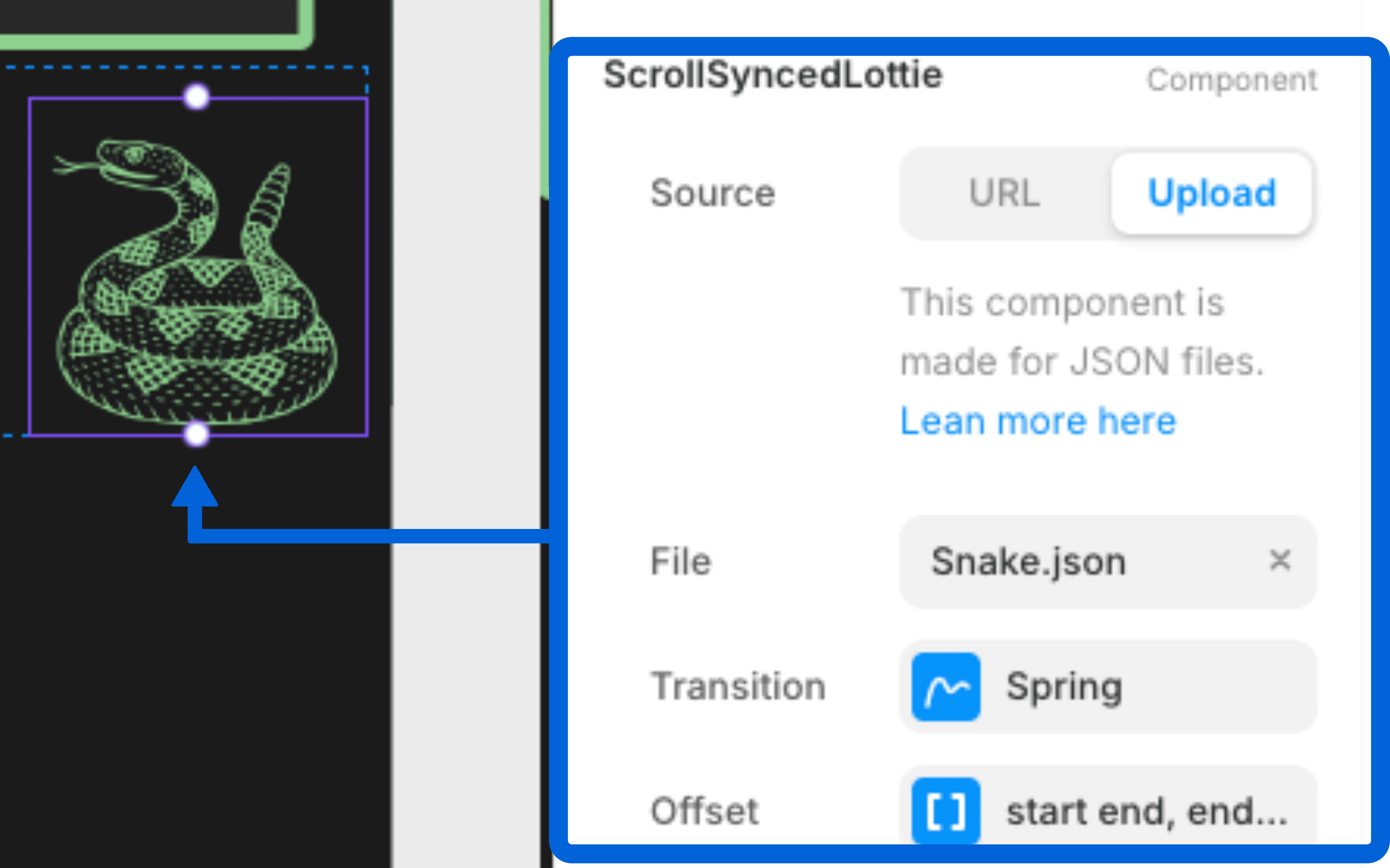
The JSON files were imported into Framer and set to "Scroll Trigger," mapping 0–100% of the animation playback to the designated scroll sections—sometimes the viewport and other times pinned sections.
Solving for Motion & Perspective
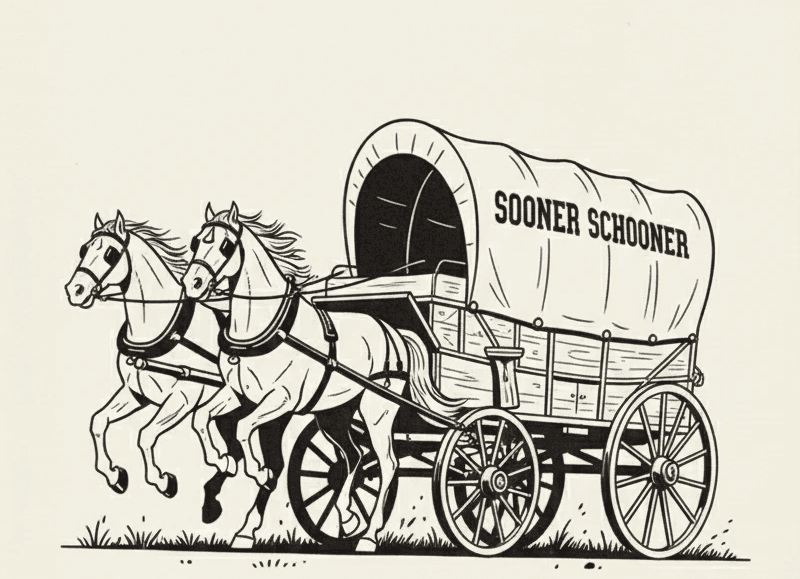
The "Flicker" Issue (Oklahoma-Sooner Schooner): I initially believed that rapidly switching between different leg positions would be the best method. Starting at 24 frames per second, I tried increasing the rate. The initial results were unintentionally humorous—rather than running, the horses appeared to do a strange dance. I realized that standard frame-by-frame animation, similar to a flipbook, causes visual stuttering when the scroll speed varies. To fix this for the horse's gait, I moved away from frame deletion and adopted vertex path morphing. By manually adjusting the vector points of the legs to stretch and reshape smoothly as the user scrolls, I achieved fluid motion regardless of scroll speed.

Simulated 3D (Pittsburgh): To recreate the Duquesne Incline, I needed to suggest depth on a flat 2D surface. The first challenge was that the source asset was among the hardest to produce because the exact angle would require a photographer to be directly in the cart’s path, limiting source options. I used photo-editing tools to isolate elements and stitch them together until I achieved a recognizable composition. For the animation, I added dynamic scaling (shrinking the cart as it climbs) and synchronized layer masking to hide the cart behind the track structure as it moved, creating a convincing perspective.

Conclusion
This project involved a complex, multi-step workflow, but ultimately, it contributes to the storytelling and adds significant visual interest to the user experience. Beyond the technical execution, this process gave me valuable exposure to animation mechanics and vector rigging. The challenges I overcame—from correcting "jigging" horses to simulating 3D depth—held plenty of lessons that will improve how I approach complex interactive projects in the future.
Introduction
Modern web design goes beyond static images; it involves storytelling. In this project, I created an intricate scroll-based animation system that allows users to actively participate in the narrative. I designed a workflow that starts with imagery generated in Gemini, then moves to vectorization in Inkscape, and finally to SVGator/Lottie for animation. This process connects artistic ideas with technical implementation. The outcome is a smooth, user-controlled experience through four different environments—Tucson, Denver, Oklahoma, and Pittsburgh—each offering unique challenges related to perspective and motion smoothness.
The Workflow
AI-Assisted Drafting:
I utilized Gemini to generate base imagery, specifically targeting consistent camera angles and "cartoon" styling that traditional image search could not provide. This was crucial for establishing the correct perspective before drawing began.
Vector Construction:
Assets were vectorized in Inkscape. I separated elements into granular layers (chunking) to prepare them for rigging—ensuring that moving parts (like limbs or wheels) were isolated from the main bodies.
Animation Engineering:
Using SVGator, I created Lottie-compatible animations that could be exported as lightweight JSON files. This is where I applied the motion to the segments of my SVGs.
Integration:
The JSON files were imported into Framer and set to "Scroll Trigger," mapping 0–100% of the animation playback to the designated scroll sections—sometimes the viewport and other times pinned sections.
Solving for Motion & Perspective
The "Flicker" Issue (Oklahoma-Sooner Schooner): I initially believed that rapidly switching between different leg positions would be the best method. Starting at 24 frames per second, I tried increasing the rate. The initial results were unintentionally humorous—rather than running, the horses appeared to do a strange dance. I realized that standard frame-by-frame animation, similar to a flipbook, causes visual stuttering when the scroll speed varies. To fix this for the horse's gait, I moved away from frame deletion and adopted vertex path morphing. By manually adjusting the vector points of the legs to stretch and reshape smoothly as the user scrolls, I achieved fluid motion regardless of scroll speed.
Simulated 3D (Pittsburgh): To recreate the Duquesne Incline, I needed to suggest depth on a flat 2D surface. The first challenge was that the source asset was among the hardest to produce because the exact angle would require a photographer to be directly in the cart’s path, limiting source options. I used photo-editing tools to isolate elements and stitch them together until I achieved a recognizable composition. For the animation, I added dynamic scaling (shrinking the cart as it climbs) and synchronized layer masking to hide the cart behind the track structure as it moved, creating a convincing perspective.
Conclusion
This project involved a complex, multi-step workflow, but ultimately, it contributes to the storytelling and adds significant visual interest to the user experience. Beyond the technical execution, this process gave me valuable exposure to animation mechanics and vector rigging. The challenges I overcame—from correcting "jigging" horses to simulating 3D depth—held plenty of lessons that will improve how I approach complex interactive projects in the future.